Tags & Organization
Organize with tags
Tags are DocNado's flexible organization system that lets you sort your documents by any categories you choose. Unlike rigid folder structures, you can assign multiple tags to each document simultaneously — for example "Car", "Insurance", and "2025" — and it will appear in each of those categories. DocNado comes with a set of system tags covering common categories like Household, Car, Health, or Taxes. Beyond that, you can create your own custom tags with a name and individual color of your choice. Tags are also great for quick filtering: a single click on a tag in the dashboard immediately shows you all related documents, and in the search bar, you can use the @ prefix to find documents with specific tags.
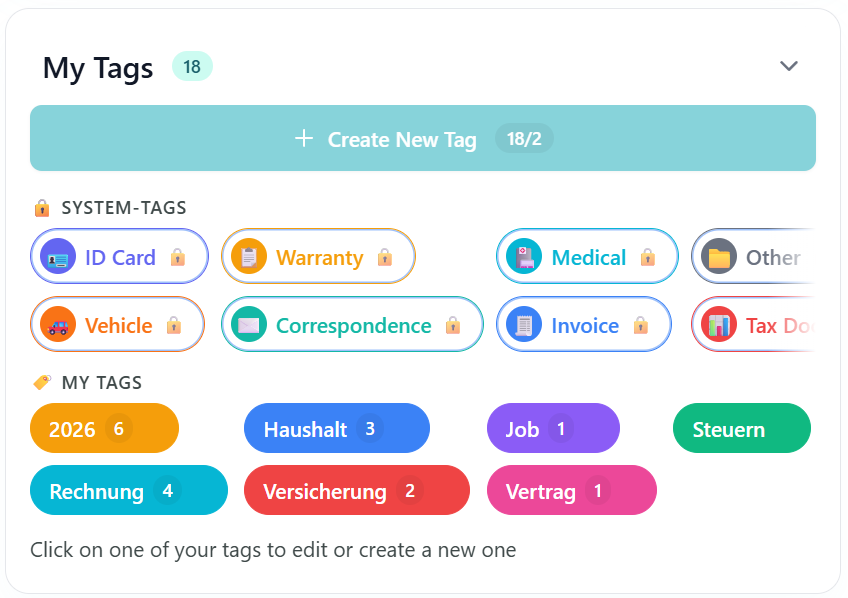
Tag manager: System tags and custom tags with colors
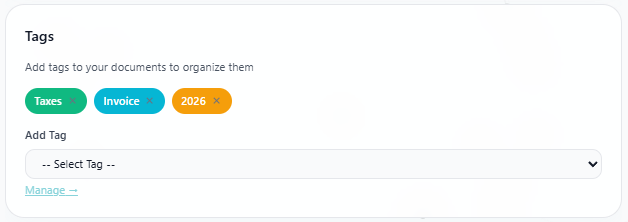
Existing tags on a document — add more tags via the dropdown
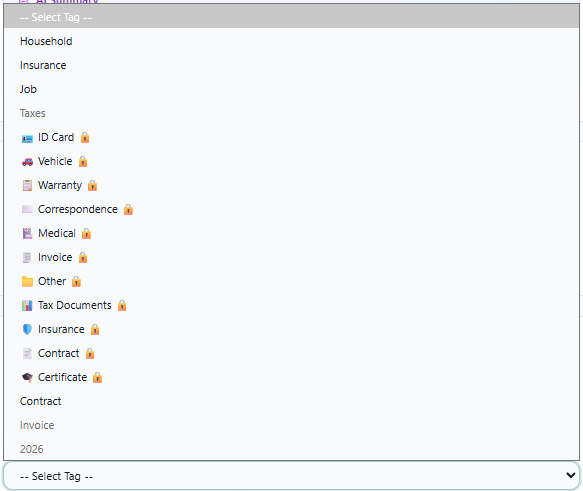
All available tags for assignment — including system tags and custom tags
Create Tags
3. Choose name + color
- •"Create New Tag"
System Tags vs. Custom Tags
- •System Tags: Predefined categories (Household, Car, Health, etc.)
- •Custom Tags: Your own tags with custom name and color
Recommended Tags
Filtering
- •Filter by tag click in the dashboard
- •Search by tag in the search field with **@**
- •Multiple tags at once possible