Profile & Settings
Manage your account
In your profile, you manage all personal settings and account information. Here you will find your account details, which you can update at any time — from your email address to your display name. The "Notifications" section gives you full control over your reminder system: activate or deactivate email and push notifications as you wish and adjust the lead times. Managing guest accounts that you have invited to share documents also takes place centrally in your profile — you can view guests, adjust their permissions, or remove them if needed. Your plan information, the Paddle Customer Portal for plan changes, as well as backup and export functions are also accessible from here.
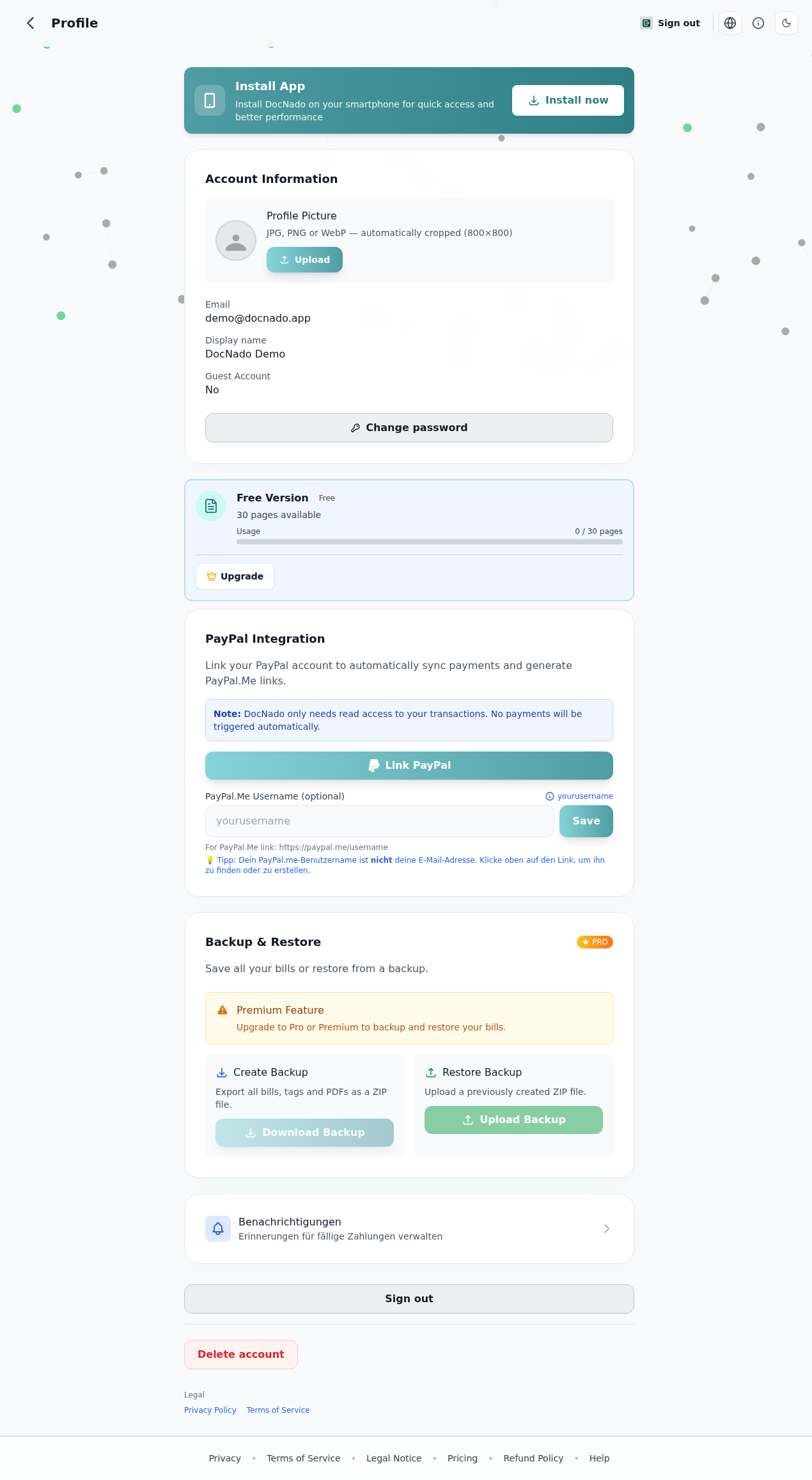
Profile and settings page
Profile Page (`/profile`)
Set up PayPal (for bill owners)
For your guests to pay easily via PayPal, enter a **PayPal.Me username** in your profile (e.g. your name at paypal.me/yourname) and click **"Link PayPal"**. From then on, your guests will receive a direct payment button with a pre-filled amount. If you don't have a PayPal.Me link yet, create one for free at paypal.me — all you need is a PayPal account.
Guest Accounts
As the creator, you can manage your guest accounts (view, delete) — found under **Profile → Guest Accounts**.