Dashboard
Your central overview of all documents
The dashboard is your central control hub in DocNado — from here, you can access all key features at a glance. At the top, you will find quick actions: with a single click, you can create a new document, start a scan, or apply tag filters. Right below, the calendar displays all upcoming due dates with color coding, so you will never miss a deadline. The main area shows your document list with all relevant information such as title, status, and due date. The dashboard dynamically adapts to your usage and shows you what matters most right now — whether it is open payments, overdue documents, or upcoming reminders.
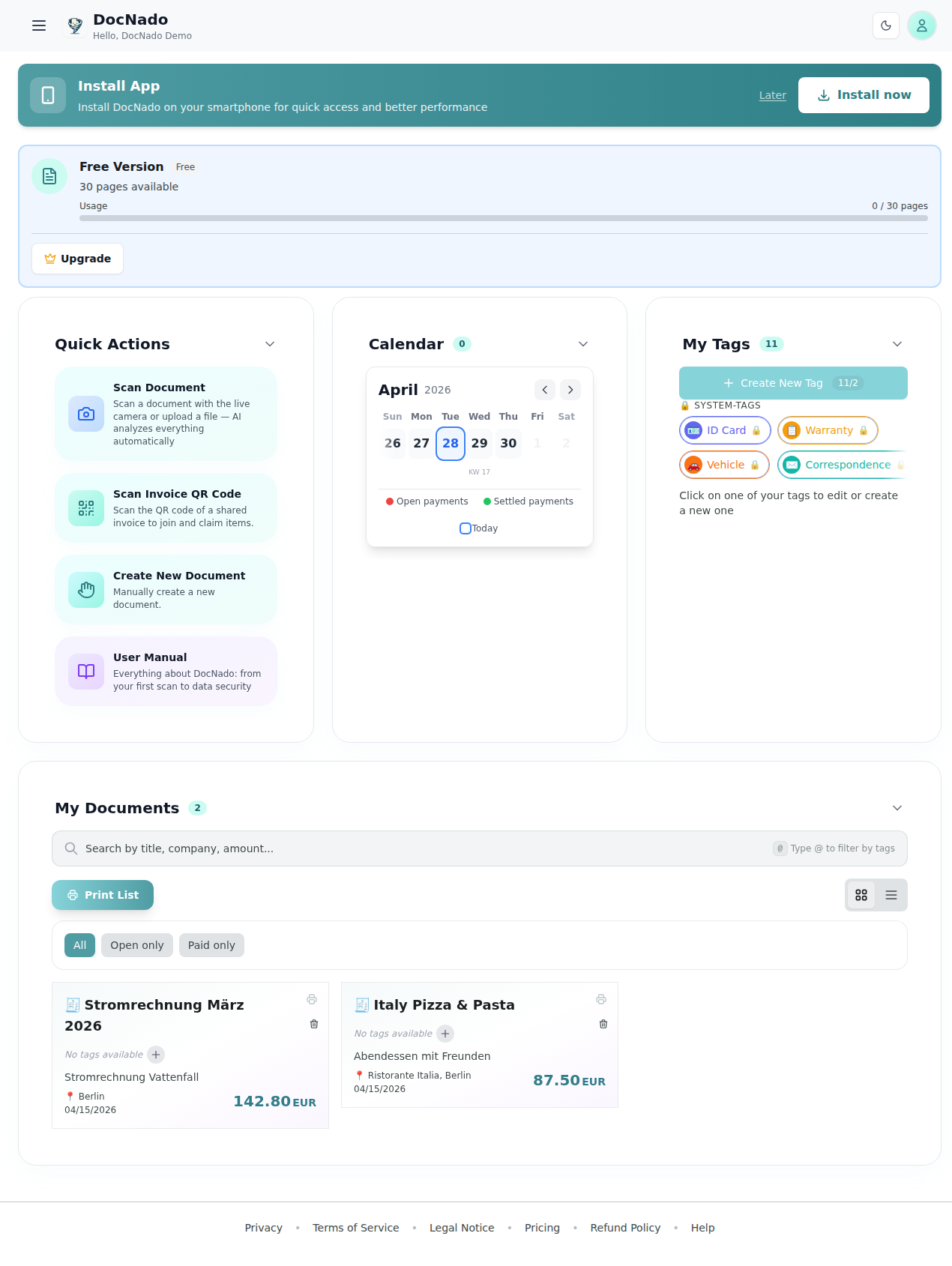
Dashboard with all features
Your dashboard shows you at a glance:
Quick Actions
- •+ New Document: → Create a new record
- •Start Scan: → Open camera
- •Tag Filter: → Filter by category