Quick Start
Get started with DocNado in minutes
DocNado is your personal document manager that helps you organize invoices, contracts, and all kinds of receipts digitally — no more paper clutter. Whether on your smartphone, tablet, or computer: your documents are always synchronized and accessible everywhere. Setup takes just a few minutes, and thanks to the intuitive interface, you will feel right at home immediately. A special tip: install DocNado as a Progressive Web App (PWA) directly on your home screen — it then opens like a native app, with its own icon and without the browser bar. This guide shows you how to get started with DocNado in three simple steps and which core features are available to you right from the beginning.
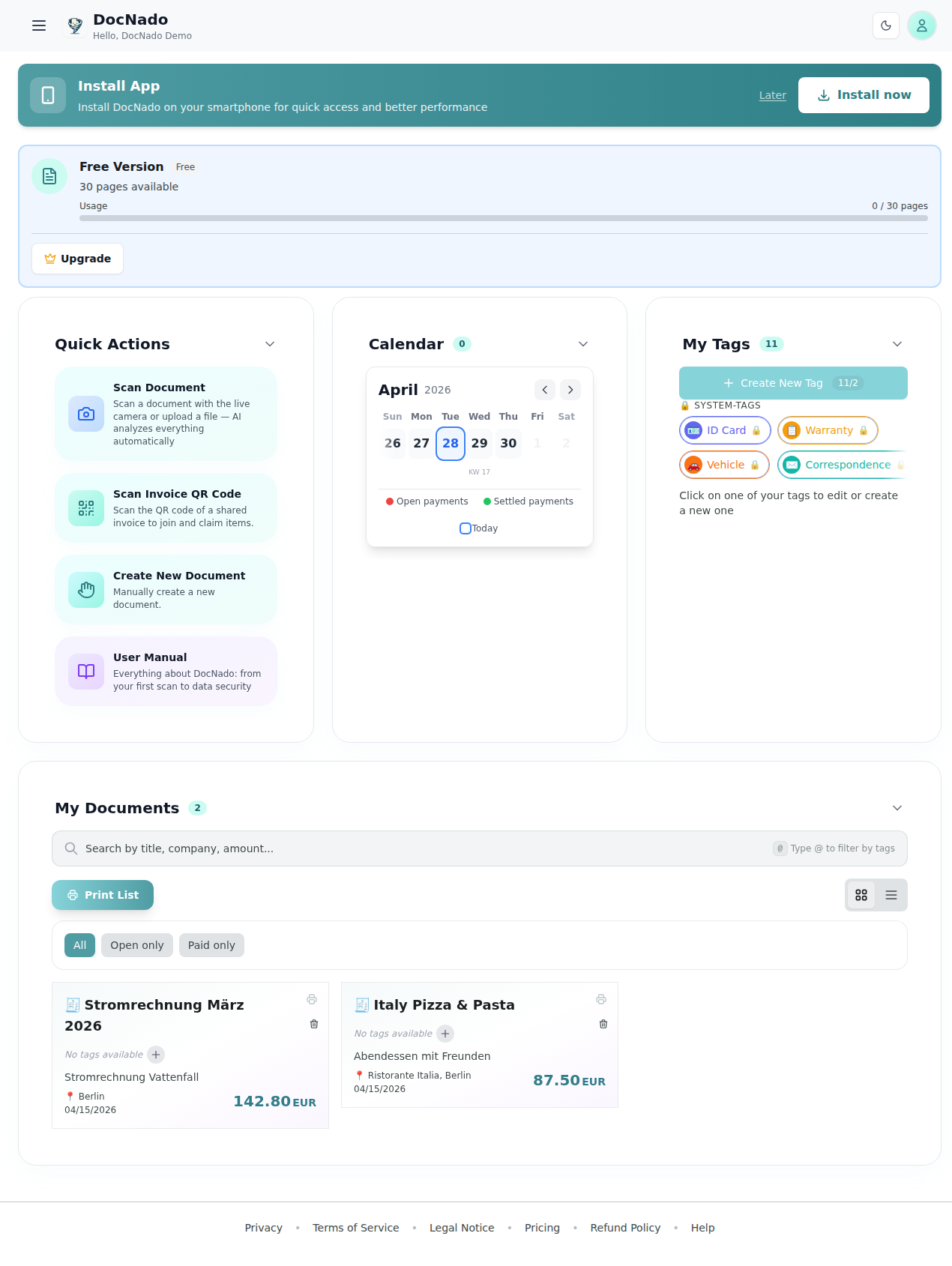
DocNado Dashboard with sample data
Here's how it works in 3 steps:
**Tip:** Install DocNado as a PWA — open from your smartphone home screen like a native app!
- •Scan document: → Take a photo, upload a PDF, or enter manually
- •Set due date: → Enter a date for calendar and reminders
- •Organize: → Assign tags and track status