
DocNado: Your Smart Document Vault. Documents? Easy. Done.
DocNado is a document manager: scan receipts, analyze with or without AI, organized automatically — encrypted in your vault in Germany.
Scan receipts, find everything auto-organized, never miss a deadline — in under 10 seconds per document.
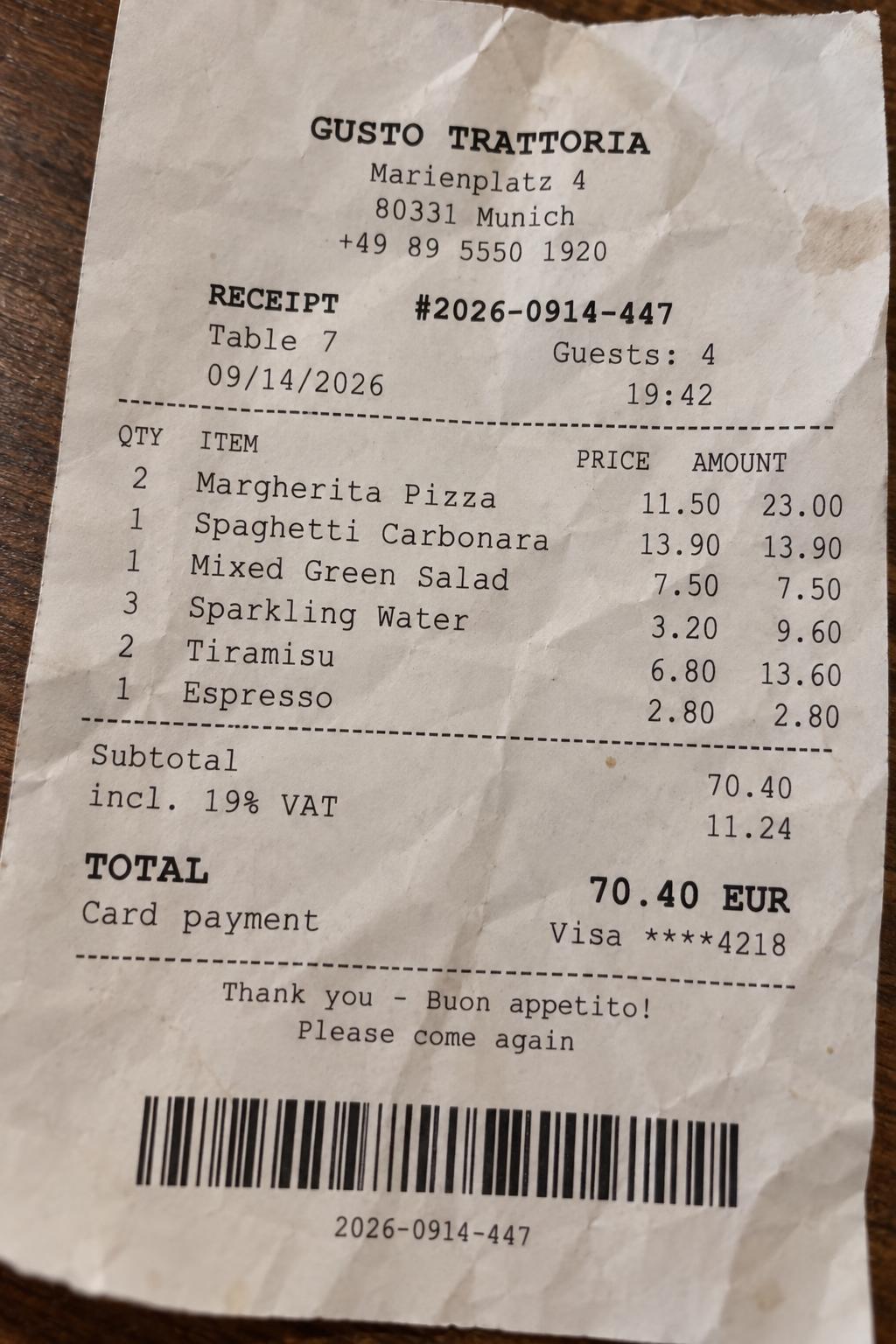
Scan a receipt and see what DocNado recognizes. Free, right here.
No receipt at hand? Just grab the sample receipt and drop it in here!No receipt at hand? Just tap the sample receipt!
No login for the test · 1 free scan · Result in ~10 sec.
DocNado brings order to
For every document in your life – simple and smart
AI Scan
Scan receipts with your camera or upload them – if you want, the AI recognizes everything automatically.
Document Management
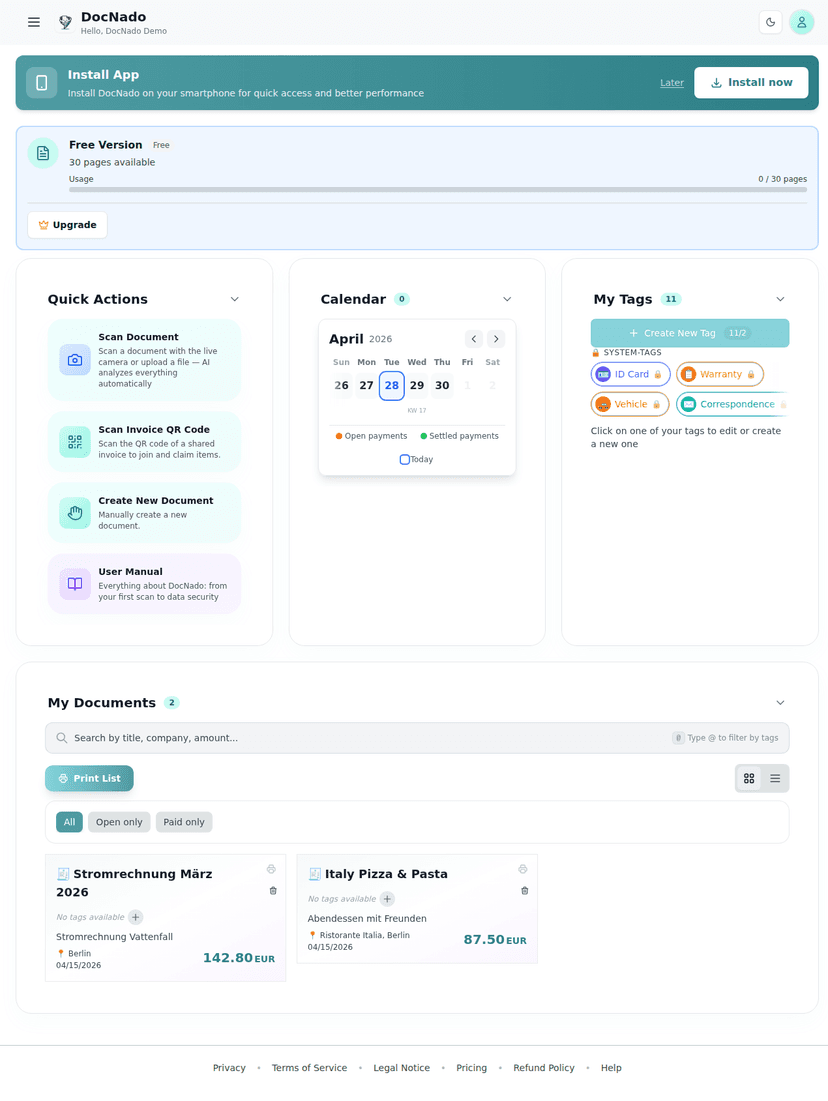
Receipts, contracts, insurance papers, invoices — all in one place. Stay organized with tags and buckets — saved filter views.
Share via QR Code
Share bills via QR code. Link your PayPal account and match incoming payments directly in the app.
Backup: Never lose data again.
Download all your documents as a ZIP and open them on your computer. Your data, your hard drive – no vendor lock-in.
Scan, sort, relax: DocNado takes care of the paperwork.

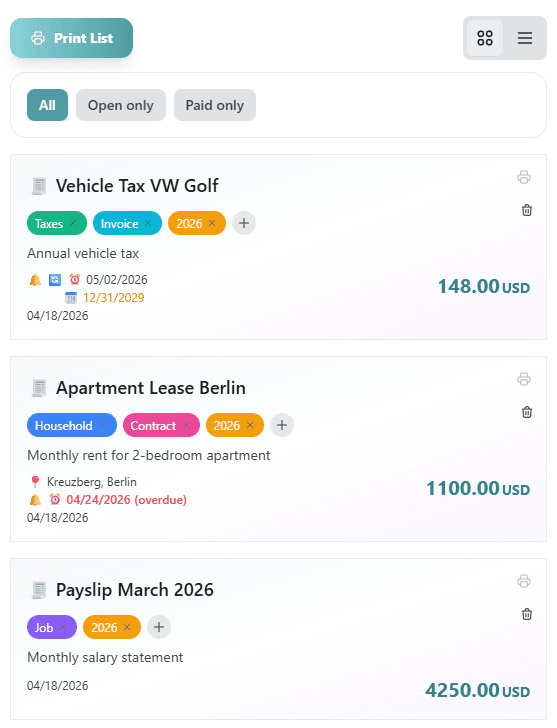
Scan or upload a document
Take a photo or upload a PDF – AI text recognition extracts document type, amount, date and provider automatically.
Automatically sorted & securely stored
DocNado categorizes every document, tags it and stores it encrypted in your vault – searchable at any time.
Remember, find & share
Keep track of deadlines, find anything in seconds and share documents via QR code.
Whatever comes up – DocNado has your document covered
At Home
- Lease & Deposit
- Contractor Invoices
- Insurance Papers
- Subscription Overview
Job & Career
- Travel Expense Reports
- Out-of-pocket & Receipts
- Employment Contract & Payslips
Living Together
- Split Shared Flat Costs
- Vacation with Friends
- Shared Subscriptions
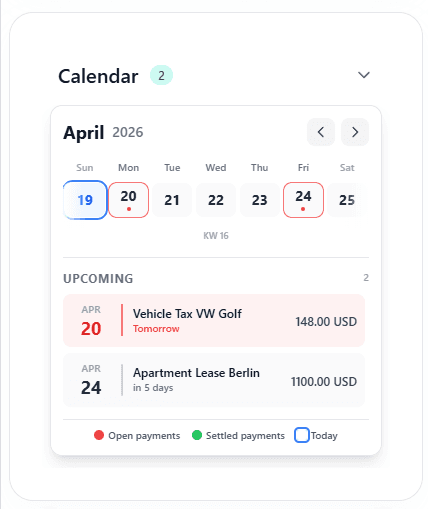
The calendar shows everything at a glance: Red = overdue, Yellow = coming up, Green = done. Never plan in the dark again.
AES-256 Encryption
AES-256 is the same encryption standard used by banks and governments worldwide – and it's considered virtually unbreakable. With today's technology, it would take billions of years to crack a single key. Every document is encrypted before it's ever stored on our servers. So your data stays protected even if someone were to gain access to the storage.
Only you can access it
The Zero Knowledge principle means: not even DocNado's servers can read your documents – nobody else holds the key. Your password is the everyday key, your 12-word recovery phrase the emergency key: forget the password, and the phrase opens the vault. Lose both, and not even we can recover your data – that's how strong the protection is. Your documents stay truly yours alone.
AI scan, honestly explained
A point most providers gloss over: during an AI scan, your document must be readable for a few seconds — otherwise no AI can recognize amounts and merchants. We process it with providers whose servers are in Europe, with no storage and no use for AI training. The results are only encrypted on your device afterwards — inside the vault there’s nothing but ciphertext. And if you want to use the cloud without AI, simply choose “without AI analysis” when saving — text recognition then runs in the browser, and your document already leaves the device encrypted. And you don’t have to take our word for it: in the browser developer tools you can see for yourself that only ciphertext leaves your device. It works entirely without cloud too: scan locally without limits — text recognition runs in your browser.
GDPR? Obviously.
GDPR isn't just a checkbox for us – it's how we operate: our servers are based in the EU, and your data is never shared with third parties. We only collect the data that's absolutely necessary to run DocNado for you. You have the right to delete your data at any time – one click, and everything is gone. And if you ever want to leave, you can export all your data whenever you like.
Your cloud vault
Your documents are stored encrypted in your cloud vault – an encrypted archive only you can unlock. Available everywhere, on all your devices – and if your phone is lost or broken, your documents are still safe. Only you can decrypt them.
DocNado is a Progressive Web App (PWA) – install it directly from your browser on your phone or desktop. No App Store, no update-waiting.
Always up-to-date
Every time you open DocNado, you automatically have the latest version. No outdated features, no manual updates.
Works everywhere
iPhone, Android, iPad, Windows, Mac – one account, the same app everywhere.
Secure & private
No App Store tracking, no unnecessary permissions. Just you and your documents.
Cross-platform
Smartphone, tablet or desktop — DocNado runs everywhere directly in the browser. No app store needed.
Install in 3 steps
- 1Open docnado.app in Safari
- 2Tap the Share icon
- 3Select "Add to Home Screen" → Done!
- 1Open docnado.app in Chrome
- 2Tap the ⋮ menu (top right)
- 3Select "Install app" or "Add to Home screen"
- 1Open docnado.app in your browser
- 2Click the Install icon ⬇ in the address bar
- 3Confirm – you're done!
Start for free. Upgrade anytime.
Free
10 pages per month
Scan pack: 4,99 € for 200 more pages
Accepted payment methods



Is DocNado free?
How secure are my documents?
What can I scan with DocNado?
Can I export my data?
How does bill splitting via QR code work?
Is my receipt read during the AI scan?
What are buckets?
Do I have to use the AI at all?
Can I verify myself what is uploaded from my device?
I want zero-knowledge AND text recognition (OCR) — without cobbling together two apps. Possible?
Start for free and never search for documents again. No credit card, no stress.
Why you can trust DocNado
What our users say
“Helpful app. Clearly designed and has everything I need to digitally save and sort my paperwork.”
Tips and guides for your paperless household